
Integrations
Accounts payable that connects to your ERP
Onivo AP runs on top of the accounting systems your team already uses. Connect your ERP, sync vendors and GL accounts, match invoices to POs and receipts, and keep your books in sync — without re-keying.
What the integration does
One connection, the whole AP loop
- Secure connection to your ERP — OAuth or token-based, no credentials stored in the browser
- Vendor sync — map invoices to your existing ERP vendor records
- GL account and dimension mapping (class, location, department where your ERP supports them)
- Purchase-order and goods-receipt sync for 2- and 3-way matching
- Validated, ERP-ready payloads for approved invoices — full bill posting is live today over the cloud API connection, with more coverage rolling out
- Sync logs, retry, and a full audit trail on every invoice
Matching runs on the synced documents — see how 3-way invoice matching compares an invoice against its purchase order and goods receipt before anything posts.
Cloud platforms
Live API connections: what actually syncs
For cloud accounting platforms with a live API, you connect once — over OAuth, with no credentials stored in the browser — and Onivo keeps the two systems in step from then on. Here is what moves across that connection:
- Vendors — invoices are mapped to the vendor records your ERP already holds, so a bill never posts against a vendor your ledger doesn't know
- Accounts and dimensions — your chart of accounts, plus classes, locations, and projects where your ERP supports them, so line coding always resolves to real values in your books
- Purchase orders and goods receipts — synced in so 2- and 3-way matching runs against the documents your ERP holds, not re-typed copies
- Bill creation — when an invoice clears approval, Onivo creates the bill in your ERP with its line coding and tax detail, and you can preview the exact payload before it posts
- Query before create — every post first checks whether the bill already exists in the ERP, so a retried sync can never create the same bill twice
- Retry on failure — export status is tracked on every invoice, a failed post retries on its own, and the sync log keeps a record of each attempt
Desktop & on-premise
Accountant-ready export files for desktop ERPs
Desktop and on-premise ERPs don't offer a live API — but every one of them has an import routine, and an accountant who knows it. For those systems, Onivo produces clean, structured export files instead of API calls, and the rest of the workflow stays identical.
The file carries each approved invoice in full: the vendor it belongs to, its header details, every line with its coding — GL account, cost center, project — and its tax detail. It is structured for your ERP's import routine or your accountant's workflow, so nothing gets re-keyed on the way into the books.
The round-trip works like this: capture, matching, and approval all happen in Onivo, exactly as they do on the API path — an invoice only reaches the export once it has cleared the same gates. Export status is tracked on every invoice, and each export lands on its audit trail, so "did this reach the books, and when?" always has an answer. Your ERP stays the system of record; Onivo keeps the record of how each invoice got there.
Not sure which path fits your system? Tell us what you run — coverage is expanding.
Coding
Onivo speaks your ERP's dialect
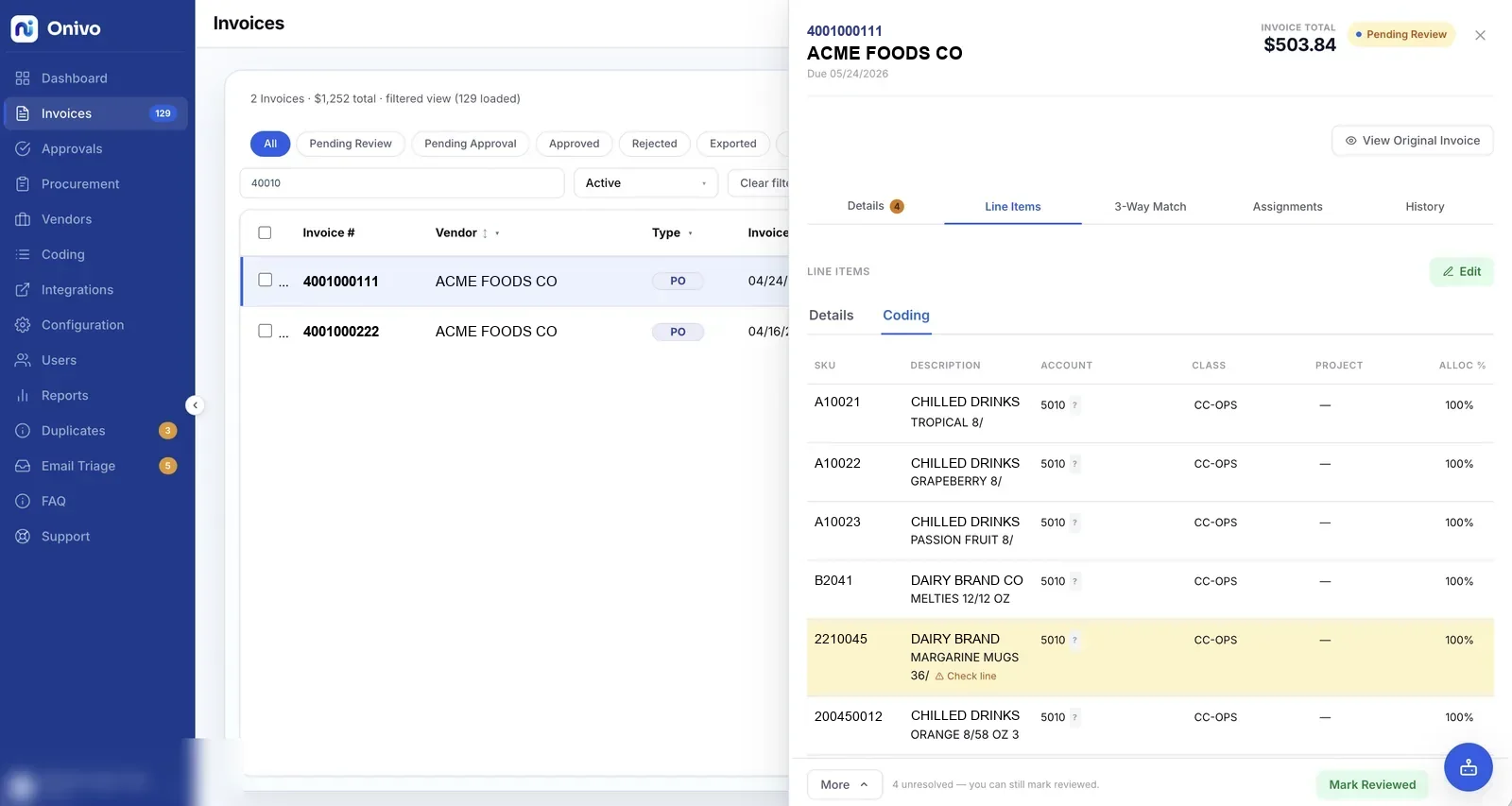
Every ERP names its dimensions differently — one system talks in accounts, classes, and projects; another in GL codes, cost centers, and jobs. Onivo displays coding in the connected ERP's own terms, so approvers see the labels they already know from their accounting system, and coded invoices arrive in your ERP with the dimensions it expects.
The vocabulary comes from the connection itself, not from a settings page: connect a platform that talks in classes and projects, and that is what every screen says; connect one that talks in cost centers and jobs, and the screens follow. It matters most at the approval step — an approver confirming a line against a label they recognize isn't translating from a generic "dimension 2" in their head.
AI-suggested coding is always reviewable before an invoice moves, and every change lands on the invoice's audit trail, in line with the security model the whole platform runs on. Whether the invoice then posts over the API or travels in an export file, it carries the same coding — in the terms your ledger expects.
Where this fits
The integration is one piece of the loop
Nothing posts unmatched. Before an invoice reaches your ERP it has been compared against its purchase order and goods receipt, with tolerance rules deciding what passes — the mechanics are on the 2-way and 3-way invoice matching page.
The connection itself is a credential, and it is treated like one: ERP tokens are encrypted at rest with a key reserved for that purpose alone, and nothing is stored in the browser. How access, encryption, and the audit trail are handled is on the security page.
Connecting your ERP isn't a premium add-on. Every tier is fully featured, and pricing is sized to your monthly invoice volume — not to your ERP.
FAQ
ERP integrations, answered
Which accounting systems does Onivo AP work with?
Cloud accounting platforms connect over a live API with vendor sync and bill posting; desktop and on-premise ERPs work through accountant-ready export files. If you run something unusual, tell us — coverage is expanding.
What does an ERP integration do?
Onivo securely connects to your ERP, syncs your vendors and GL accounts, maps dimensions, and syncs purchase orders and goods receipts so invoices can be matched and coded before posting.
Can Onivo post invoices back to my ERP?
Onivo prepares validated, ERP-ready payloads for approved invoices. Full bill posting is live today over the cloud API connection, with more coverage rolling out.
See Onivo on your own ERP
The fastest way to see the fit is a live demo on your real workflow and accounting system.