Email attachments
The PDF on the email becomes an invoice record. Nobody downloads, renames, re-uploads.
Solutions · Invoice capture & OCR
Invoices arrive as email attachments and uploaded PDFs, in whatever layout each vendor prefers. Onivo reads them with Google Document AI, learns from the corrections your team makes, and leaves a field blank rather than guessing. Curious how that learning works? Read the guide to how invoice OCR learns your vendors.
The PDF on the email becomes an invoice record. Nobody downloads, renames, re-uploads.
Drag a file in and it joins the same queue, read the same way.
One file holding several invoices is split into separate records.
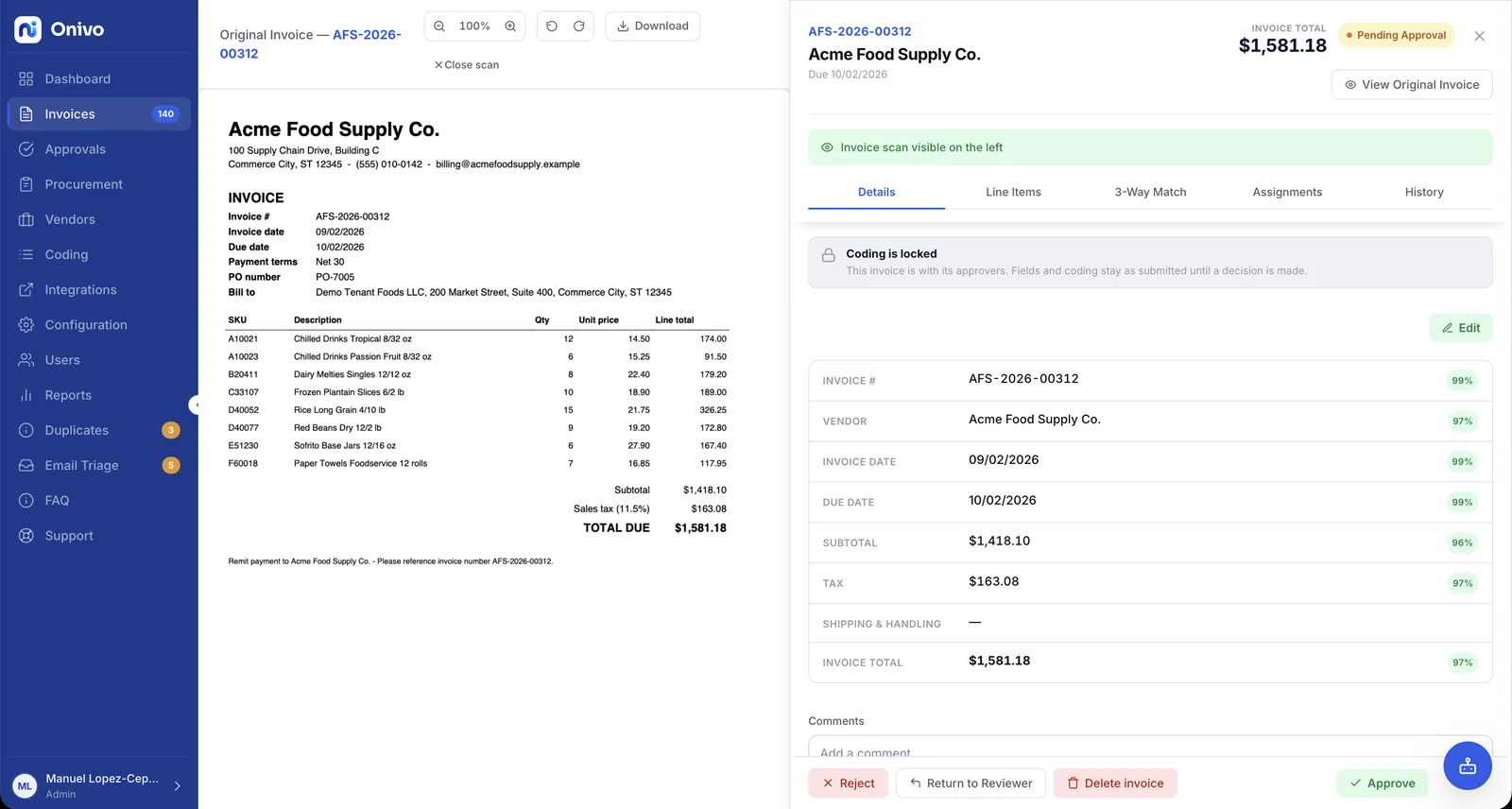
A field the OCR can't read with confidence stays blank for a person.
Intake
Most invoices already arrive by email. Point vendors at an AP mailbox — or forward what lands in your own — and the attachment is picked up and becomes an invoice record on its own. The PDF never sits in an inbox waiting for someone to notice it.
For everything that doesn't come by email — the invoice handed over at the counter and scanned, the one pulled down from a vendor portal — drag the PDF into Onivo. It enters the same queue and is read the same way as everything else.
Vendors batch. A statement run or a scanner stack can put several invoices in one PDF. Onivo splits the file at the invoice boundaries, so each invoice gets its own record, its own pages, and its own path through coding and approval.
Transcription
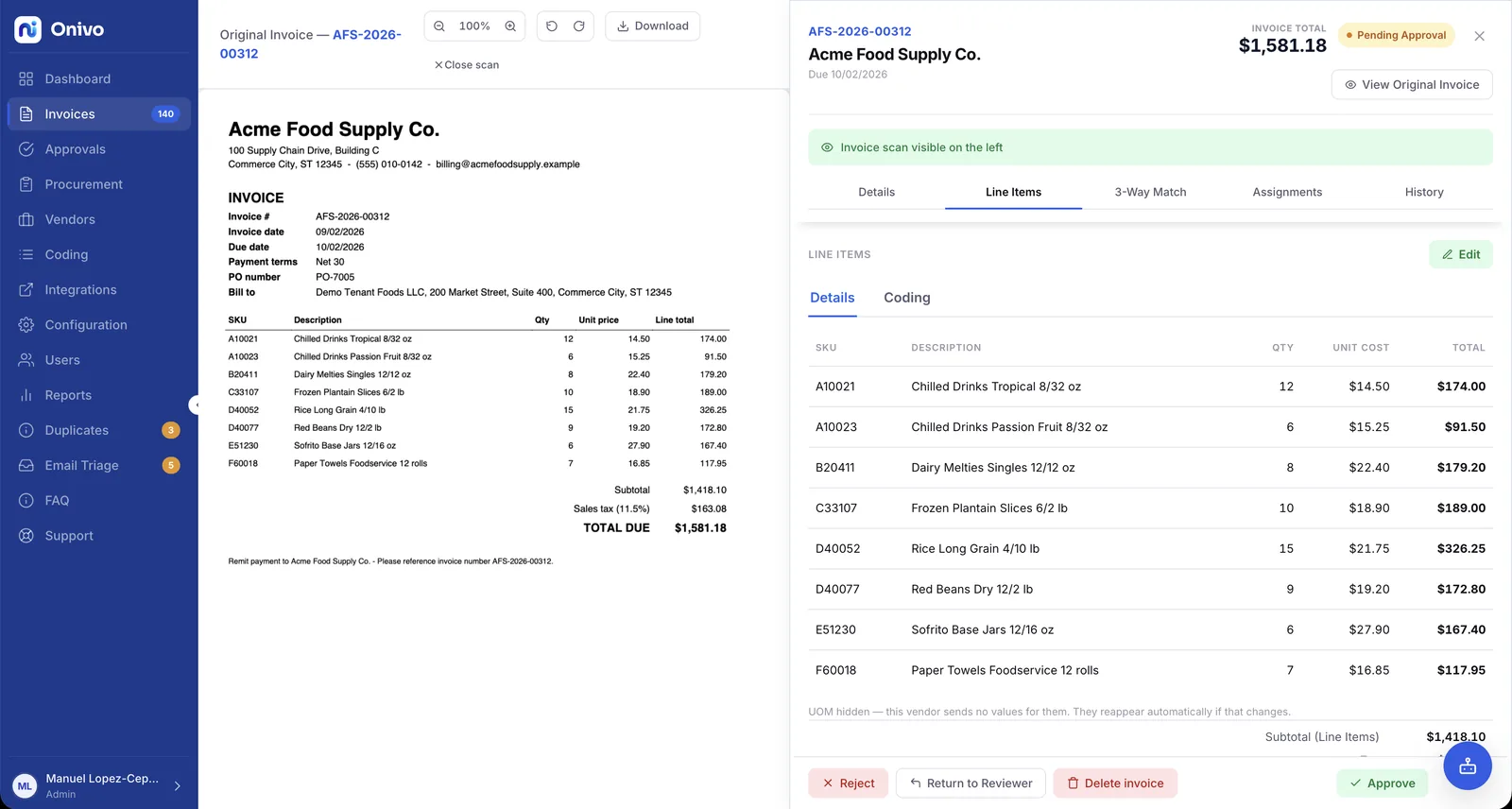
Every captured invoice is transcribed with Google Document AI. From the header: the vendor, the invoice number, the dates, the totals. From the body: each line item — description, quantity, unit price, amount. The line-level detail matters, because everything downstream works line by line.
The learning layer
One puts the total top-right, one buries it under a remittance stub, one runs the line descriptions together. Generic OCR treats every layout as a fresh puzzle and makes the same mistakes on invoice after invoice.
When someone corrects a field — moves a total into the right box, tidies a line description — Onivo keeps the correction and applies what it learned to the next invoice from that vendor. The fix is made once, not monthly.
The first invoice from a new vendor may take a few touches. Each touch makes the next one from that vendor cleaner, so the reading improves exactly where your volume is — on the vendors who bill you every month.
Accuracy
Guessing is the dangerous failure mode in invoice OCR, because a wrong amount looks exactly like a right one. A plausible number in the total field sails through review and gets paid. So when Onivo can't read a field with confidence, it leaves the field blank. A blank is honest: it stops the invoice and asks a person to look. And the value the person types in isn't just a fix for one invoice — it's a correction the learning layer keeps for that vendor.
Not every AP tool makes that trade the same way — see how Onivo compares to other AP tools and to running AP in your accounting system alone.
Downstream
Each captured line is coded to a GL account, a cost center, and a project — the detail that makes month-end reports mean something.
Lines are checked against the purchase order and the goods receipt with 2-way and 3-way matching, inside price, quantity, and amount tolerances you set.
The invoice routes by amount, cost center, and project through approval workflows to the people who should sign off — and only those people.
Approved invoices sync into your ERP as bills in your system's own terms — with a query before every create so nothing posts twice. See the ERP integrations page for how data moves.
Every step along the way — every read, edit, match, and approval — lands in a tamper-evident audit trail. See how Onivo handles security.
Bring your hardest PDFs — the cramped layouts, the multi-invoice files — and watch Onivo read them in front of you, then carry them through coding and matching.
Pricing is sized to invoice volume, and the security page covers how your invoice data is protected.